Forums
 Blogs
Blogs Articles
 File Library
 FAQ
FAQ Search
 FB
FB
 1
1


Making It Easier To Include A Drawing With Your Community Posts
11 May 2011
I've long wanted to find a way to make it easier to include drawings with your community forum postings. It just makes it much easier to understand the information that you need to relay.
So, what we've done is to add a couple of resources for you to use right above the "Click to Attach Files" button in the post screen.
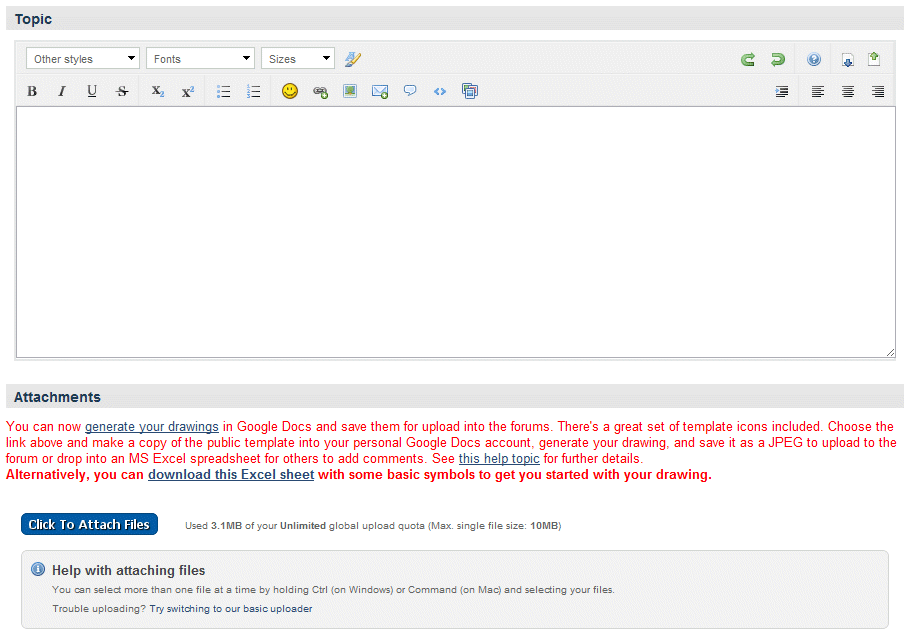
If you have a Google Docs account, there is a great public drawing template that you can copy into your personal account to use over and over again. If you don't have a Google Docs account, it's free to set up. Just use this link.
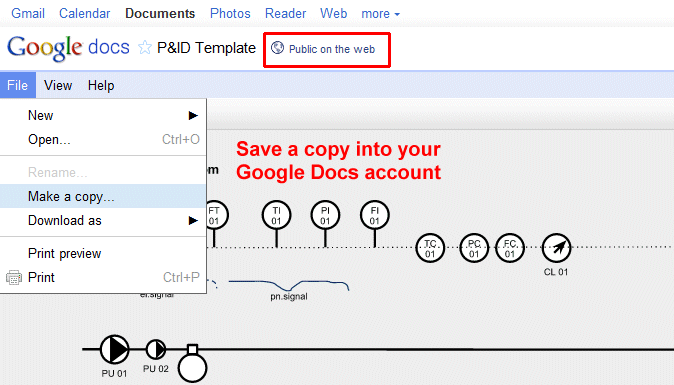
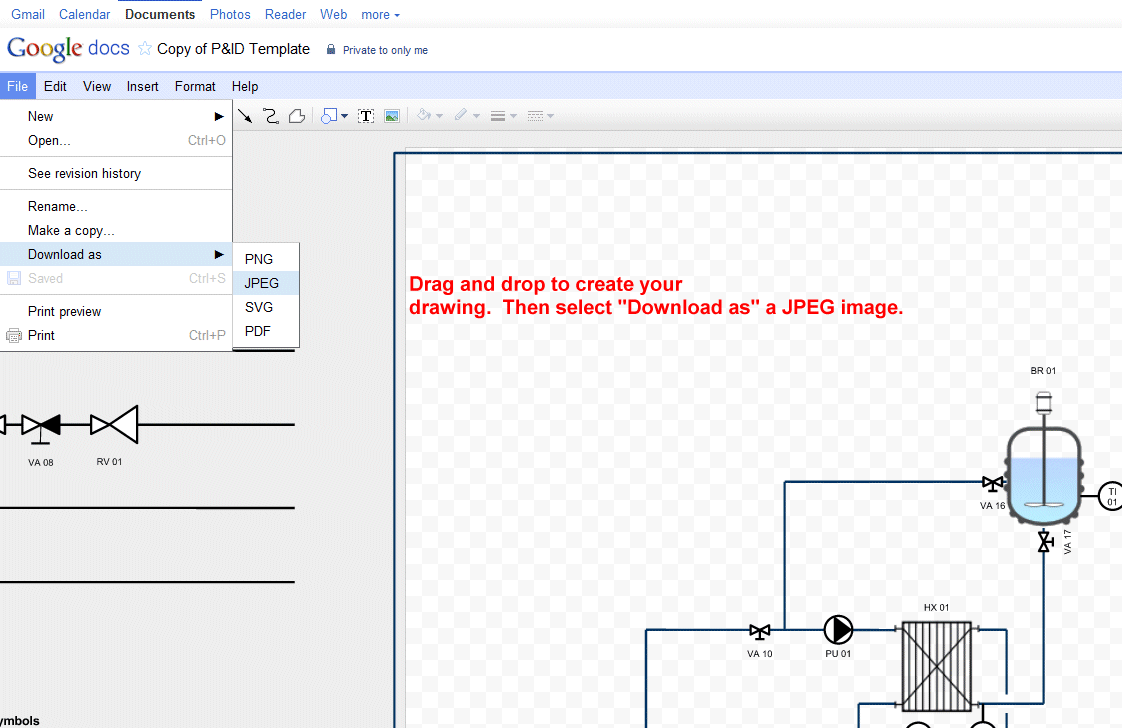
You can get some more details on how to use Google Docs to create drawings by reviewing this entry in our FAQ section.
Google Docs makes an especially good option if you don't have access to MS Excel which so many of our visitors use for this purpose. Another option for those without MS Excel would be to download these equipment symbols (from the Download section) and import them into the spreadsheet application in Google Docs. You can then save that document as an MS Excel sheet and post in the forums.
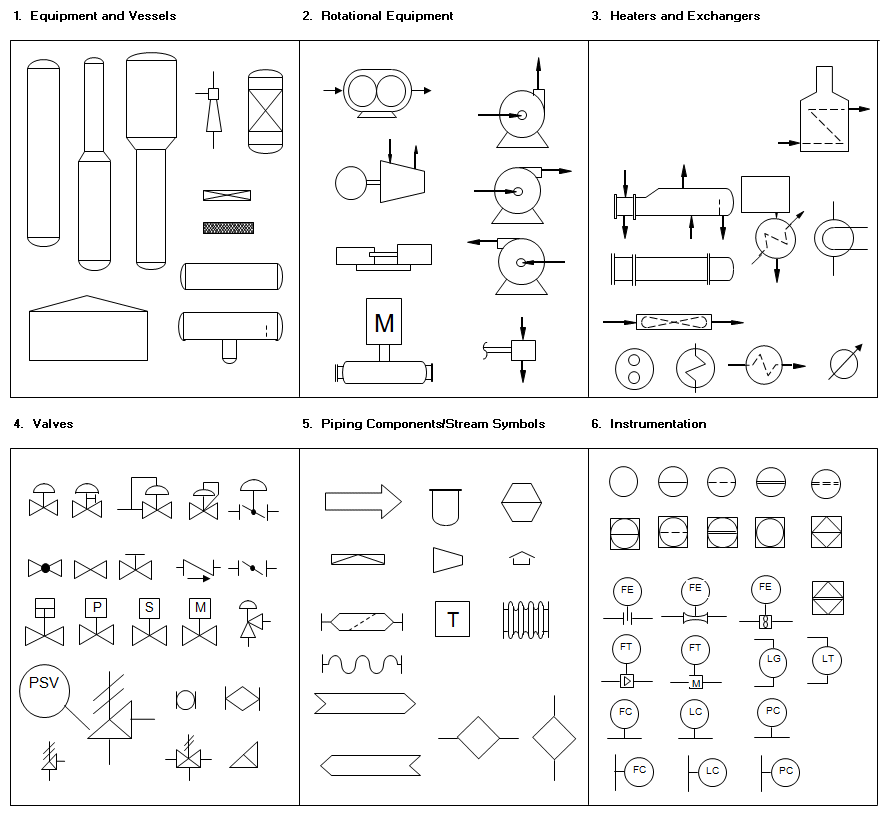
Of course, if you do have MS Excel, we've included a direct link to the equipment symbols right above the attach button so that you can quickly download it and start copying and pasting symbols to construct your drawing.
Remember, uploading your drawing in a format that others can append makes it easier for all of you to collaborate. By placing these links directly above the "Click to Attach Files" button, we hope that it will make it easier for you to consider drawing a sketch to include in your forum posting when appropriate.